From Chatbots to AI Agents: Automating Workflows End to End
A chatbot answers. An agent acts. How tool-using AI agents, orchestration, guardrails and human escalation automate inventory, coordination, reporting and IT work.
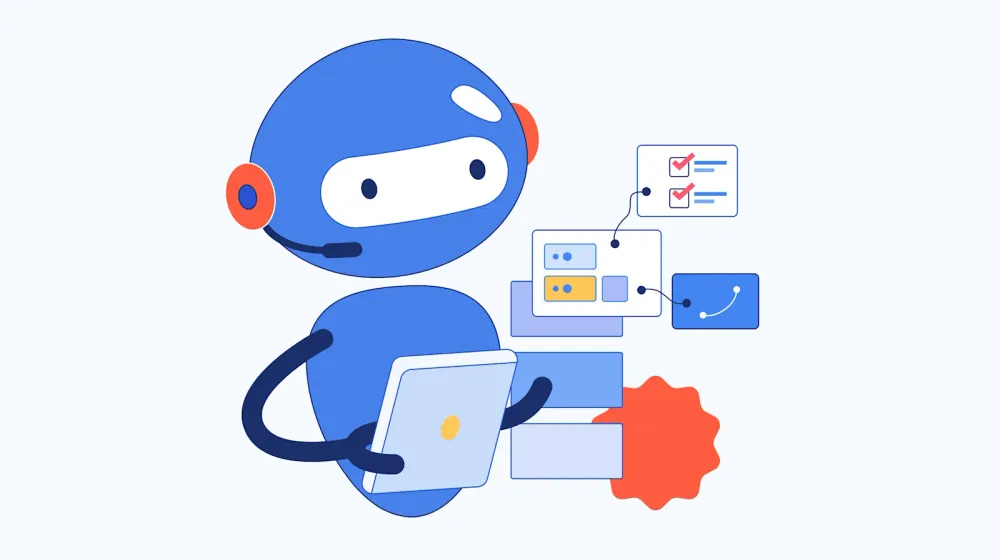
The 2023 version of this article described chatbots that scheduled meetings and answered questions about stock levels. That generation of bots had one limit: it could talk about work but could not do it. A chatbot answers. An agent acts.
An AI agent reads the warehouse system, notices that a SKU will run out in nine days at the current sell-through, drafts a purchase order against the preferred supplier’s contract terms, and asks the buyer to approve it. The conversation is a side effect. The work is the point.
This article explains what separates a chatbot from an agent, how a workflow agent is built, five workflows where agents already replace manual steps, and the two things that decide whether an agent survives contact with a real operation: guardrails and escalation to humans.
Chatbot vs agent: the difference that matters
Three generations of bots are in use at the same time, and the word “chatbot” hides the difference.
| Rule-based bot | LLM chatbot | AI agent | |
|---|---|---|---|
| Understands | Keywords, menus | Natural language | Natural language and structured data |
| Knows | Scripted answers | Model training plus retrieved documents | The same, plus live system state via tools |
| Does | Routes to a page or a person | Answers, drafts, summarizes | Reads and writes in systems of record, in multi-step sequences |
| Fails by | Not understanding | Answering wrongly | Acting wrongly |
| Needs | A decision tree | Retrieval and prompt design | Tools, orchestration, guardrails, escalation, evaluation |
The last two rows are why agents are a different engineering problem. A chatbot that answers wrongly is embarrassing. An agent that books the wrong carrier, resets the wrong password or approves the wrong invoice is expensive. Gartner expects more than 40% of agentic AI projects to be cancelled by the end of 2027, citing escalating costs, unclear business value and inadequate risk controls. The model is rarely the reason. The surrounding system is.
Anatomy of a workflow agent
Every production agent we build has the same five parts. The model is the smallest of them.
1. Model layer. Claude, OpenAI and Gemini models, usually through Amazon Bedrock, Azure OpenAI or Vertex AI so data stays in the client’s cloud account. Behind one abstraction so a model can be swapped: Menlo Ventures found 37% of enterprises already run five or more models in production. Smaller models handle classification and routing; the frontier model handles judgment.
2. Tools. Typed functions the agent may call: get_stock_level(sku, site), create_purchase_order(draft), search_tickets(query). Each tool has a schema, validated on every call, and a permission scope. The agent never gets a database connection; it gets tools. Tools are where the agent meets ERP, WMS, TMS, CRM and identity systems, through their APIs, not around them.
3. Orchestration. The control flow: which step runs next, what happens on failure, when to stop. We build stateful workflows in LangGraph, with retries, timeouts, step budgets and checkpoints, so a run can be paused for approval and resumed. Multi-agent designs split work between specialists (a retrieval agent, a planning agent, a verification agent) when one context window cannot hold the task.
4. Memory and retrieval. Retrieval-augmented generation over the documents that carry the operation: supplier contracts, SOPs, tickets, product manuals, past decisions. Short-term state per run; long-term facts in a store with access control, never in the prompt by default.
5. Guardrails and escalation. The rules for what the agent may not do, and the path to a person when it should not decide alone. They get their own sections below, because they are what production reviewers ask about first.
Five workflows, from chat to action
Inventory and replenishment
The supply chain example from the original article still holds, with more autonomy. An inventory agent watches stock levels, inbound purchase orders and sell-through per SKU and site. It flags shortages and excess before they happen, drafts replenishment orders against contracted suppliers and lead times, and posts them to the ERP as drafts. Orders under a value threshold and within contract terms can be released automatically. Everything else waits for a buyer.
The forecast underneath is a conventional model, not the LLM. The agent’s job is to turn the forecast into an action, explain it in plain language, and know when to ask. Gartner expects 60% of enterprises using supply chain management software to adopt agentic features by 2030, up from 5% in 2025, and 60% of supply chain disruptions to be resolved without human intervention by 2031.
Project coordination
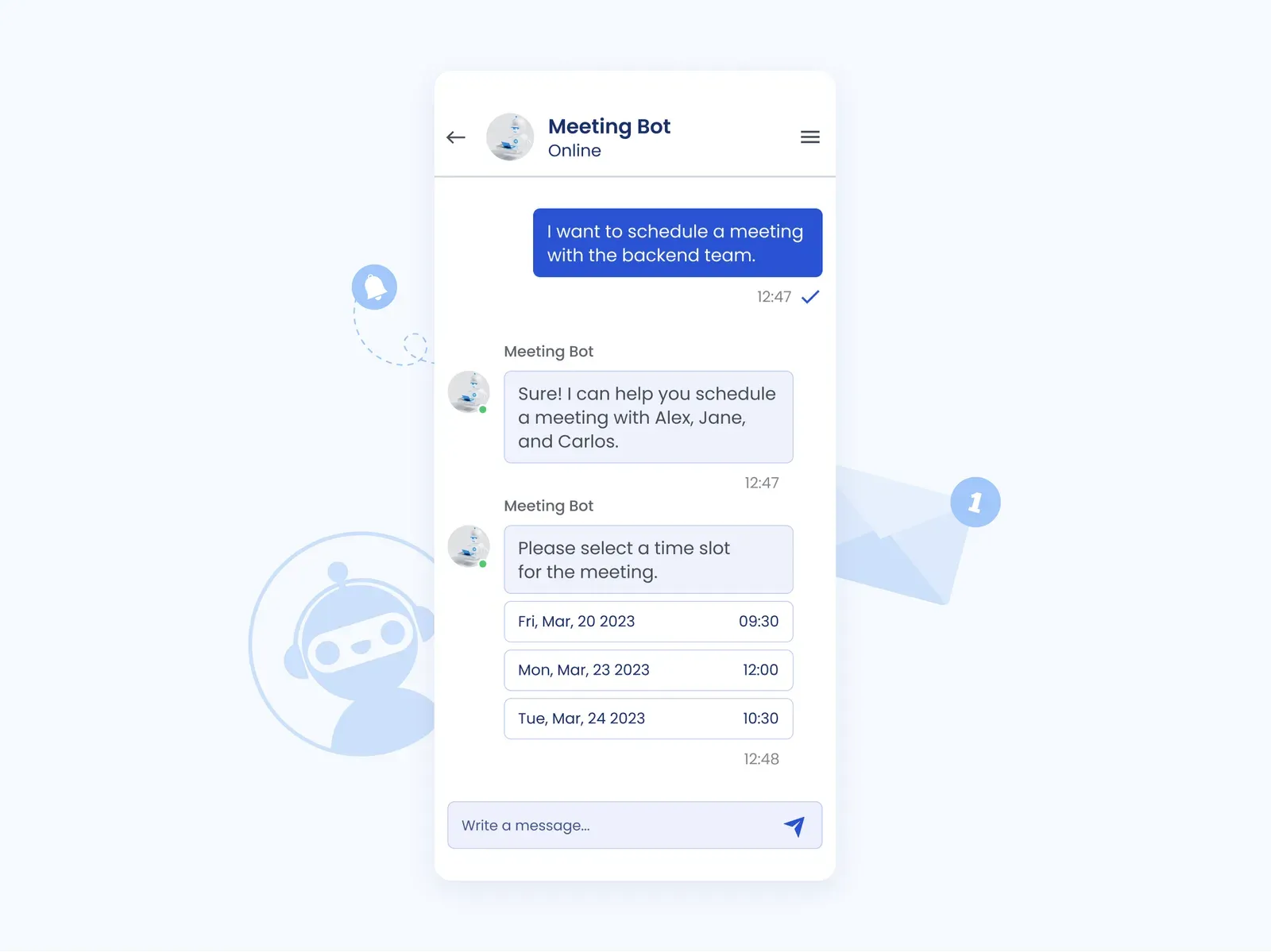
The meeting bot from 2023 is now a coordination agent. It reads the calendar, the task tracker and the chat history. “Set up a review with the backend team this week” becomes a scheduled meeting with an agenda drawn from the open tickets. It creates and updates tasks in Jira or Linear from a sentence, drafts the weekly status from what actually changed, and sets deadline estimates from the team’s measured velocity on similar work rather than from optimism.
Lead qualification and handoff
A qualification agent runs the first conversation with an inbound lead: budget, timeline, requirements, existing commitments. It writes the lead profile to the CRM, scores it against the ideal customer profile, and hands qualified leads to a sales representative with a summary and a suggested next step. Unqualified leads get a polite answer and a nurture sequence. The handoff to a person is a designed step, not a failure mode.
Reporting and analysis
Reporting agents answer questions against governed data rather than generating text about it. “Why did margin fall in the Nordics last month” becomes a query against the warehouse, a chart, and a two-paragraph explanation with the numbers cited. Row-level security decides what each user’s agent can see. Finance close, inventory turnover and customer analysis reports are generated on schedule and reviewed by a person before distribution. We built this pattern for a multi-tenant SaaS on Amazon Redshift and QuickSight Q: 60% faster insights and 80% less manual reporting.
IT operations and identity
The most measurable agents we have shipped are the least visible. For an enterprise client we built two agents that automate identity management: one registers new users across systems, one handles password resets. Both generate the scripts they need through an LLM, execute them on a serverless AWS backend, and cache scripts that recur. Account setup fell from 15 minutes to under 1 minute. Caching cut LLM API spend by 90%. The system handles tens of thousands of transactions a month, with zero security incidents reported after deployment.
Engineering and QA workflows follow the same pattern, with agents generating and running tests and opening pull requests. They deserve their own treatment: see agentic software engineering.
Guardrails: what an agent may not do
Guardrails are rules enforced outside the model. A prompt that says “never delete records” is a suggestion. A tool layer that has no delete function is a guardrail.
- Least privilege. Each agent gets named tools against named systems and fields. Read tools and write tools are separate. Production credentials never sit in a prompt.
- Schema validation. Every tool call is validated against its schema before execution. Malformed or out-of-range calls are rejected and logged.
- Deterministic checks before writes. A purchase order is checked against contract terms, budget and duplicate detection by code, not by the model, before it is posted. For a law firm’s contract generation system, a verification controller checks every LLM-generated clause against rules before release. The system saves 28,800 hours and €3.5M a year.
- Confidence gates. Low-certainty outputs route to a person. The threshold is tuned on an evaluation set from the client’s own records, not guessed.
- Budgets and hard stops. Tokens, steps, wall-clock time and spend per run and per day. An agent in a loop stops at the budget, not at the invoice.
- PII and PHI handling. Masking before data reaches a model, or a model inside the client’s VPC. Buyers rank privacy and governance (61.3%) above accuracy (54.9%) as their top AI concern, per MarketScale, and procurement now asks for data-handling documentation before signing.
- Untrusted content. Documents, emails and web pages an agent reads can contain instructions aimed at it. Everything retrieved is treated as data. Tool results are never allowed to change the agent’s permissions or goals.
- Audit logs. Every model call and tool call is logged with input, output, the identity that triggered it and the outcome. This is what an auditor, and an incident review, will ask for.
Escalation to humans
An agent that never escalates is either trivial or dangerous. The design question is not whether a person is in the loop but where.
When to escalate. Low confidence; high value, above a monetary threshold; irreversible actions such as payments, deletions and external commitments; policy exceptions; anything the agent has not seen in its evaluation set. The list is written down and enforced in the orchestration, not left to the model’s judgment.
How to escalate. With context. A ticket that says “agent needs help” is worse than no agent. The handoff includes what the agent was asked, what it found, what it proposes, why it stopped, and a one-click approve or reject. Approval resumes the run from the checkpoint.
Who owns the outcome. One named role per workflow. The buyer owns replenishment; the sales lead owns qualified leads; the IT service desk owns identity. Ownership decides who reviews the agent’s weekly performance and who can change its thresholds.
In the loop versus on the loop. Early in production, a person approves every write: human in the loop. As the evaluation set grows and the error rate is known, approval moves to exceptions and the person reviews samples: human on the loop. The move is a decision backed by numbers, not a date on a plan. Deloitte found only 1 in 5 organizations has a mature governance model for autonomous agents. The escalation design is most of that model.
What still gets in the way
The challenges section of the 2023 article was about natural-language understanding. Models solved that. The barriers now sit around the model:
- Integration. Foundry’s survey puts high integration cost (36%) and lack of in-house deployment expertise (33%) among the top barriers. Legacy WMS, TMS and ERP systems with thin APIs are the usual constraint, and an agent is only as capable as its tools.
- Evaluation. Without an evaluation set from real records there is no accuracy number, so there is no go/no-go decision. Inability to determine ROI (33%) is the third barrier in the same survey.
- Data governance. Which data may reach which model, where it is processed, how long it is kept. Answered in writing before the pilot, or the security review will answer it later.
- Cost. Token spend scales with usage. Caching, routing easy cases to small models and hard budgets keep cost per task flat. The identity agents above are the example.
- Adoption. People trust an agent that explains itself, escalates sensibly and is wrong in visible, correctable ways. Show the audit log. Start with one team and one workflow.
How to start
Pick one workflow with a clear metric, real data and a system of record the agent can write to. Build the evaluation set from your own cases in week 1. Ship a production-grade agent, with guardrails and an escalation path, at a bounded scope. End with a measured accuracy, a cost per transaction and a go/no-go decision. That is the shape of our AI Pilot in 4 Weeks, and it is how the identity, reporting and contract systems above started.
For the production system after the pilot, see agentic AI engineering: agents, orchestration and LLM systems that run inside the ERP, WMS, TMS and CRM you already operate.
FAQ
What is the difference between a chatbot and an AI agent?
A chatbot produces a response. An agent produces an outcome: it calls tools, reads and writes systems of record, runs multi-step sequences and stops for approval where the policy says so. The engineering difference is the tool layer, orchestration, guardrails, escalation and evaluation that a chatbot does not need.
Apart from customer support, what can AI agents do?
Inventory and replenishment, order and shipment tracking, project coordination, lead qualification, reporting against governed data, identity and access management, invoice and document processing, and engineering tasks such as test generation and code changes. The common factor is a repeatable workflow with a system of record and a clear owner.
How are agents integrated with ERP, CRM and finance systems?
Through typed tools that wrap the systems’ APIs, with schema validation, least-privilege scopes and audit logging on every call. Where an API is missing, a thin integration service is built first. Agents do not get direct database access, and write operations pass deterministic checks before they execute.
How long does it take to build an AI agent?
A production-grade pilot for one workflow takes 4 weeks in our engagement model, with a working demo on your data in week 2. Production hardening, further integrations and rollout typically take another 8 to 12 weeks, depending on the systems involved and the governance review.
Erbis has shipped production AI since 2017, with 200 engineers, $110M+ in documented client savings and ~95% AI accuracy in production. If you have a workflow where a chatbot answers questions that people then act on by hand, book a discovery call. We will tell you directly whether an agent is the right move, and what it would need to stay safe.