Legal Document Automation: The Complete Guide for 2026
What legal document automation is in 2026, how AI drafting and review agents work with human verification, what the EU AI Act requires, how to calculate ROI, and how one law firm saved €3.5M and 28,800 hours a year.

Legal document automation is software that produces legal documents from structured inputs, templates and, increasingly, large language models. In 2026 it covers three layers: template assembly, AI drafting and review agents, and the verification and governance controls that make AI output safe to sign.
This guide explains each layer, what the EU AI Act means for a firm adopting them, how to calculate ROI, and how Erbis built a system that saves one law firm 28,800 hours and €3.5M a year.
What is legal document automation?
Legal document automation uses software to create and manage repetitive legal documents. It suits any document you produce regularly in a consistent format.
How template-based document automation works
The classic approach uses predefined templates. Each template has a fixed structure and placeholders for the variable information. A user enters data into a form, or the system pulls it from a matter management or CRM record, and the software fills the placeholders. Conditional logic includes or excludes clauses based on the inputs. The result is a complete document, consistent with every other document produced from that template.
Types of automated legal documents
Automation handles simple documents such as employment contracts and non-disclosure agreements, and complex ones such as court forms, settlement agreements and intellectual property filings. The more a document varies from case to case, the more the AI layer described below matters.
Benefits of document automation
- Speed. Thomson Reuters reports that firms using document automation create first drafts 72% faster. Some firms report up to 80% less time on contract drafting.
- Consistency. Every document from a template uses the same approved language.
- Fewer errors. Data is entered once and flows into every field.
- Capacity. The same team handles more matters without adding headcount.
- Client expectations. Corporate legal departments now expect their outside counsel to use AI, according to the Thomson Reuters 2026 Future of Professionals report, and few think firms deliver on it.
The state of legal document automation in 2026
Adoption moved fast between 2025 and 2026. The 8am legal AI adoption report found 69% of legal professionals use general-purpose AI tools, up from 31% a year earlier, and 42% use legal-specific tools. Thomson Reuters 2026 puts weekly AI use at 74%.
Governance has not kept pace. Only 34% of firms have formally adopted AI, 43% have no AI policy, and 34% of professionals use unauthorized tools. Thomson Reuters found AI meets expectations at 64% of organizations with an AI strategy and 29% of those without one. Agentic AI is early: 16% use it and 19% plan to.
The market reflects the shift. Straits Research sizes legal AI software at $2.75B in 2026, growing to $6.3B by 2034.
Current trends and developments
- Cloud-based platforms with real-time collaboration across offices.
- Template libraries covering the firm’s standard documents.
- Integration with practice management, document management and CRM systems.
- Mobile access for review and approval outside the office.
- Version control and audit trails for every change.
- E-signature built into the workflow.
- LLM drafting and review, the layer that separates 2026 tools from 2022 tools.
AI drafting and review agents: how they work
The template approach fills blanks. An AI layer reads, writes and checks. In production it takes three components, and the third is the one most vendors leave out.
Drafting agents
A drafting agent takes a request in natural language (“draft a supply agreement with our standard limitation of liability, Polish law, 24-month term”) and produces a complete document. It works best when it is grounded in the firm’s own precedents: it retrieves the closest matching contracts and clauses from the firm’s library and builds from them rather than from general training data. Output goes into the firm’s Word template so layout, numbering and house style are preserved. Lawyers edit the result as they would any draft.
Review agents
A review agent reads an incoming document and compares it with the firm’s playbook: which clauses are acceptable, which need a fallback, which are deal-breakers. It flags deviations, cites the clause and the playbook position, and proposes redline language. It can also extract key terms (parties, dates, notice periods, renewal terms) into the matter record. The same pattern applies to invoices, court filings and compliance questionnaires.
Verification and human-in-the-loop
Language models can produce confident text that is wrong. A production system needs a second layer that checks the first. In the contract system Erbis built for a law firm, a verification controller re-reads every generated document and confirms that each extracted or inserted data point matches the source contract. Documents that fail go back for regeneration or to a lawyer.
The same principle runs in our AI invoice-processing pipeline: output below a confidence threshold goes to a human reviewer, and every correction feeds back into the model. About 95% of invoices pass without intervention. That number is only trustworthy because the other 5% are seen by a person.
Human-in-the-loop is not a temporary crutch. It is the control that lets a firm sign what the system produces.
Data governance
Client data cannot leave the firm’s control. The controls we build in by default:
- The model runs inside the firm’s own environment and is not trained on data that leaves it.
- Access is role-based. In the law firm system, not even attorneys have direct access to the whole contract database; they generate documents through an intranet chatbot.
- Every generation, edit and approval is logged with the user, the time and the model version.
- Retention rules match the firm’s document policy.
- Model and prompt versions are tracked, so a document can be traced to the exact configuration that produced it.
These controls are also what an auditor, a regulator or a client’s procurement team will ask to see. More on the framework in security and compliance.
EU AI Act: prepare for 2027
The EU AI Act applies in stages. The obligations for high-risk AI systems were due on 2 August 2026, but the Digital Omnibus package defers them to 2 December 2027. The practical message for a law firm is to prepare for 2027, not to panic about a deadline that has moved.
What matters for document automation:
- Classification. Most contract drafting and review tools are not high-risk under Annex III. Systems used in the administration of justice, in employment decisions or in access to essential services can be. Classify each system with counsel and document the reasoning.
- AI literacy. The obligation to ensure staff using AI systems have sufficient AI literacy already applies. Training records are the evidence.
- Transparency. Users should know when they are interacting with an AI system and when content was AI-generated.
- High-risk obligations, if they apply. Risk management, data governance, technical documentation, logging, human oversight, accuracy and robustness. The controls in the previous section cover most of them, which is why building them in now costs less than retrofitting later.
ISO/IEC 42001, the AI management system standard, is emerging as the way to show this work to clients and regulators; vendor estimates put it in roughly 40% of EU enterprise AI RFPs by mid-2026. Erbis is a member of the Legal Tech Verband, Germany’s legal technology association, and follows the discussion closely.
Features of modern legal document automation software
Whatever the underlying approach, seven features define a modern platform.
Template creation and management. Standard templates for common documents, updated centrally when law or firm policy changes. Corporate teams use them for M&A documents such as share purchase agreements and closing checklists.
Data integration and population. Documents pull client, matter and employee data from existing systems, so data is entered once. Employment lawyers, for example, draw job descriptions and salary details from HR systems.
Conditional logic and complex assembly. Clauses appear or disappear based on inputs. Estate planning documents adjust to marital status, number of children or asset types without manual editing.
Collaboration and workflow. Multiple users work on one document; tasks are assigned and tracked; comments live with the document. Litigation teams use this for complaints with many contributors.
E-signature integration. Resolutions and agreements are circulated and executed in hours, not days.
Version control and audit trails. A full history of who changed what and when. IP practices rely on it years after filing.
Mobile access. Review, edit and approve on a phone or tablet.
Off-the-shelf tools vs custom development
Off-the-shelf tools cover distinct needs: PandaDoc for document generation with e-signature, Briefpoint for AI-assisted discovery responses, Clio for practice management with document automation, HotDocs for complex template assembly, and workflow platforms such as Rally for process automation. They are examples, not endorsements, and their feature sets change quickly.
Their limitations are consistent:
- Limited customization to firm-specific workflows
- Integration gaps with the systems the firm already runs
- Subscription costs that grow with users and volume
- Generic AI features trained on other people’s documents
- Dependence on the vendor for updates, data handling and roadmap
Custom development suits firms whose documents, precedents and workflows are the product:
- Solutions built for the firm’s own processes and templates
- Integration with existing document management, CRM and billing systems
- No recurring per-seat fees; the firm owns the code
- Models grounded in the firm’s own precedents
- Full control over data, security and where the system runs
How to implement legal document automation with Erbis

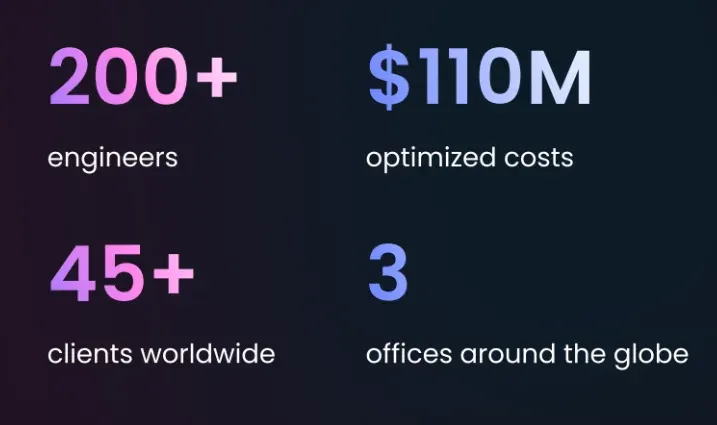
Erbis builds custom legal technology and integrates existing tools. We have built software since 2012, run AI in production since 2017, and our 200 engineers work in San Francisco, Kraków and Dnipro. Our clients’ documented savings exceed $110M, and 89% of clients stay with us for more than 12 months.
What we deliver for legal teams:
- Custom document automation grounded in your own precedents, with a verification layer and human sign-off built in.
- AI drafting and review agents that run inside your environment, connected to your document management, CRM and billing systems.
- Integrations with legal research databases, e-signature and cloud applications.
- GRC and security: ISO 27001-certified delivery, access control, logging and documentation that supports EU AI Act readiness.
- Case and knowledge management and tools for legal research.
We start with a 4-week AI pilot on one document type and one live data set, with a go or no-go decision at the end. See how we work with legal and compliance clients, or get in touch.
How Erbis saved a law firm 28,800 hours and €3.5M a year
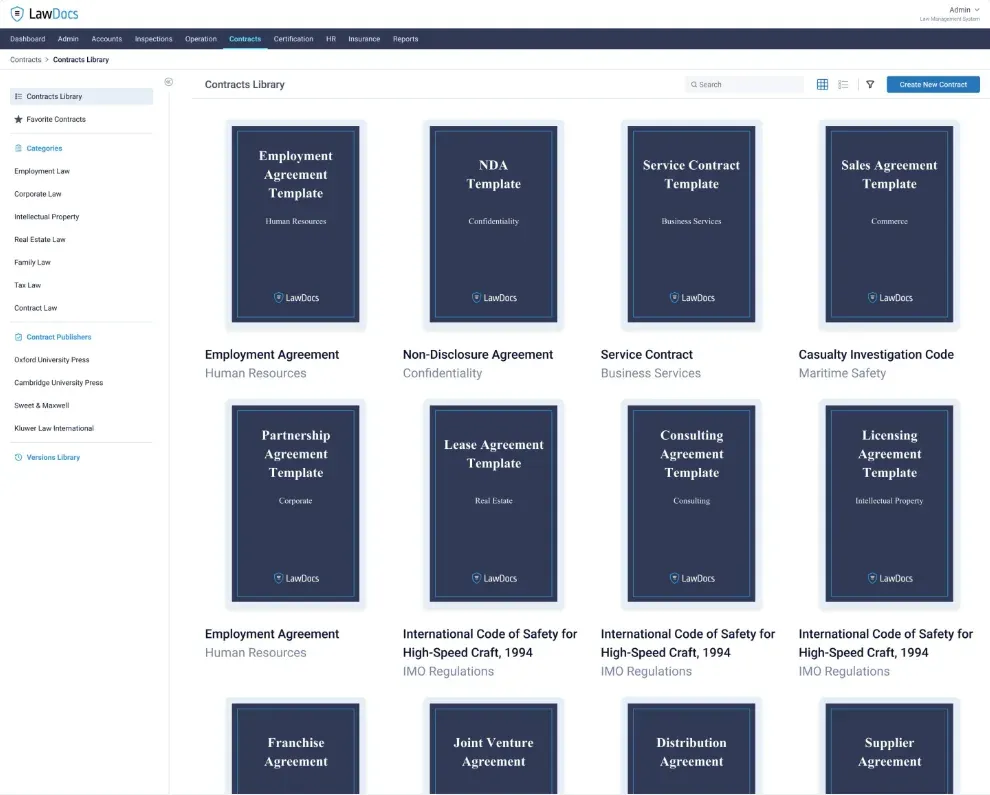
Our client, a leading law firm in Eastern Europe, needed a technical partner with legal expertise, experience with law firms and strict security standards. Erbis fit: our CTO had served as Chief Innovation Officer at a top law firm for three years.
The firm’s contracts were Microsoft Word documents, and the finished document is its product, so layout had to be preserved exactly. We catalogued and structured data from more than 10,000 existing contracts, trained a language model on the firm’s own documents, and built a verification controller that double-checks every generated document against its sources. Lawyers generate contracts through an intranet chatbot and edit them in Word.
The system went from R&D to production in 4.5 months. Contract creation is 10x faster, and the firm saves 28,800 hours and €3.5 million a year.
Legal document automation best practices
Standardize templates. One approved version of each document, managed centrally.
Use clear headings and naming conventions. Consistent structure makes documents easier to read, search and extract data from.
Build an evaluation set. Before releasing an AI drafting or review feature, assemble 50 to 200 real documents with known correct outputs and measure the model against them. Re-run it after every model or prompt change.
Keep a lawyer in the loop. Define which outputs need sign-off and make the sign-off visible in the audit trail.
Secure the data. Encryption, role-based access, logging and a clear answer to where the model runs and what it is trained on.
Audit and update regularly. Templates, playbooks and models drift out of date as law and practice change.
Establish a feedback loop. Corrections made by lawyers should reach the team that maintains the templates and models.
Plan for disaster recovery. Backups and a tested restore procedure for the document store and the model configuration.
Support the languages you work in. Multilingual firms need templates and models that handle each language, not translations of one.
Integrate document comparison. Redline generated documents against the precedent and against earlier versions.
Calculating the ROI of legal document automation
The simplest formula:
ROI = (Savings − Investment) / Investment × 100%
To fill it in, measure how long each document type takes before automation: drafting, review, corrections and approvals. Measure again after. Multiply the hours saved by the blended hourly cost of the people involved, and add avoided costs such as errors caught and matters that would otherwise have been declined for lack of capacity.
Our law-firm client’s numbers give a sense of scale: 28,800 hours and €3.5 million a year, with 10x faster contract creation. The investment side included a 4.5-month build and the ongoing cost of running the system in the firm’s own environment.
Keep human oversight in the calculation. Review time does not go to zero, and it should not. The saving comes from lawyers reviewing a finished, verified draft instead of building one.
Conclusion
Legal document automation in 2026 is three layers: templates that guarantee consistency, AI agents that draft and review, and verification and governance controls that make the output safe to sign. Firms that adopt only the first layer leave most of the value on the table. Firms that adopt the second without the third take on risk they cannot see.
Start with one document type that is frequent, repetitive and expensive. Measure it. Automate it with a human sign-off. Then extend. With the EU AI Act’s high-risk obligations now due in December 2027, the controls you build for the first document type are the same ones you will need to show later.
FAQs about automated legal documents
What is document automation in law?
Software that produces legal documents from templates, structured data and, in 2026, language models grounded in the firm’s own precedents. It speeds up drafting, keeps documents consistent and reduces manual errors.
What is an example of document automation?
Contract generation. A lawyer enters the client and deal details, or asks a chatbot for a specific agreement, and the system produces a complete contract in the firm’s template. In the system Erbis built for a law firm, a verification controller then checks every data point before the lawyer sees the draft.
What is document workflow automation?
Managing the whole life cycle of a document: drafting, review, approval, signature and filing. Each stage is tracked, and documents move between stages without manual hand-offs.
What are the three stages of document automation?
Drafting, where inputs or a request produce a first draft; review and editing, where a lawyer or a review agent checks it; and finalization and approval, where sign-off and signature complete the document.
Is AI-generated contract drafting safe for a law firm?
It is safe when three conditions hold: the model is grounded in the firm’s own precedents rather than general training data, a verification layer checks the output against its sources, and a lawyer signs off before the document leaves the firm. Without those, it is a drafting aid, not a system.
Does the EU AI Act apply to legal document automation?
The Act applies to any AI system used in the EU, but most document drafting and review tools are not classified as high-risk. High-risk obligations, now due on 2 December 2027, apply to specific uses such as the administration of justice or employment decisions. Classify each system, keep documentation and logs, and train staff. Those steps are good practice regardless of classification.